🚀
Cross-Platform
Works on Windows, macOS, Linux, and Docker containers
Automatically create thumbnail images based on the actual layout of sheets in Qlik Sense applications

Butler Sheet Icons is a cross-platform, command-line tool that creates sheet thumbnail images based on the actual layout of sheets in Qlik Sense applications. It works with both Qlik Sense Cloud and Qlik Sense Enterprise on Windows (QSEoW). It is free and open source software, released under the MIT license.
For Qlik Sense Cloud, updating sheet icons can be as simple as:
butler-sheet-icons qscloud create-sheet-icons \
  --tenanturl your-tenant \
  --apikey your-key \
  --logonuserid your-user-id \
  --logonpwd your-password \
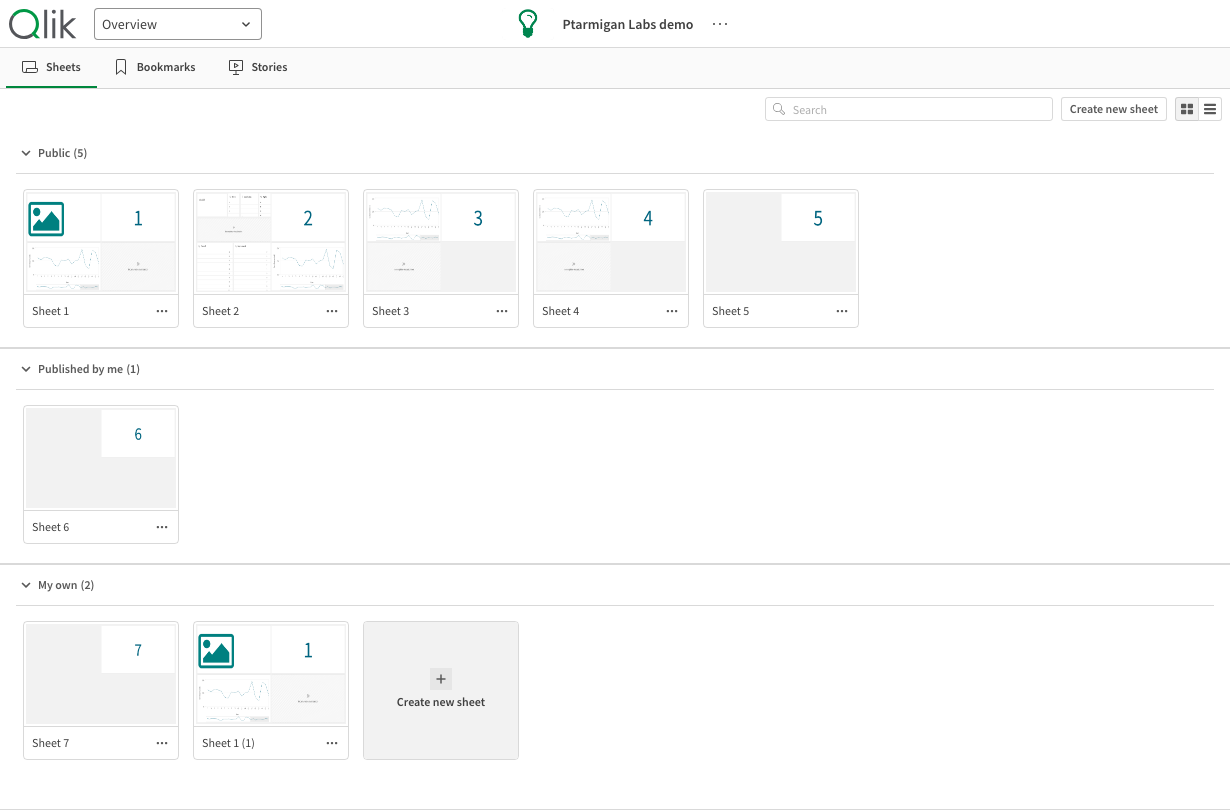
--appid app-idButler Sheet Icons transforms your app overview from plain sheet listings to visual thumbnails.
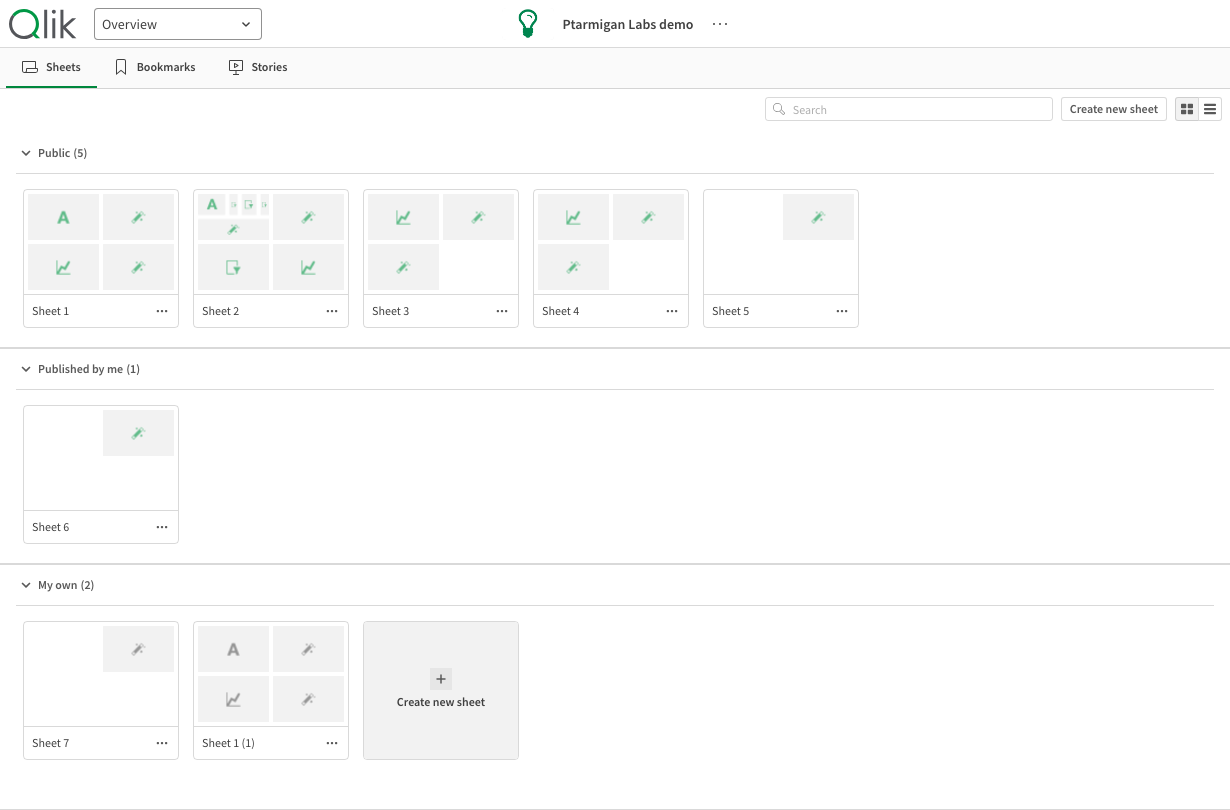
Every sheet looks the same, so the only way to tell them apart is to read the names.
Before it changes anything, Butler Sheet Icons can tell you exactly what it would do — which sheets get a thumbnail, which are skipped, and which of your options is responsible for each decision. That is --dry-run, and it is the recommended way to start:
Note the first sheet: the plan lists it as hidden by a show condition. The Qlik Sense hub never displays that sheet, but Butler Sheet Icons reads the app itself, so it accounts for every sheet the app actually has.
Run it without --dry-run and each sheet carries a miniature of its own layout.
Execution environments:
Qlik Sense product support:
Ready to automate your sheet thumbnails? Check out the Quick Start Guide or jump straight into the Installation Instructions.
Butler Sheet Icons is an open-source project sponsored by Ptarmigan Labs. For support and services relating to the Butler family of tools or Qlik Sense projects in general, please contact info@ptarmiganlabs.com.